
-
The first thing you need to do is polish up your skills in the applications for which you want to gain certifications.
To support you, we’ve identified some training, which you can access in the links below. We’ve divided this into recommended pathways which we’d like everyone to complete, and optional resources to deepen your skills.

See Also: Access LinkedIn Learning
The training is provided by LinkedIn Learning – a subscription services that normally costs £29.99 a month. However you can have it free, as part of your Mcr Met benefits. To gain access for free, you need to make sure you follow the instructions set out in this guidance: Linkedin Learning | Manchester Metropolitan University (mmu.ac.uk).
Struggling with an an area and need some hands on practice? Check out the tutorials and instructions for some further help alongside your LinkedIn Learning.

Premiere Pro
Compulsory Training (14 points)
See Also: Premiere Pro Tutorials & Instructions
In addition, if you complete all three badges, either of the following combinations, you will earn ‘specialist’ accreditation:
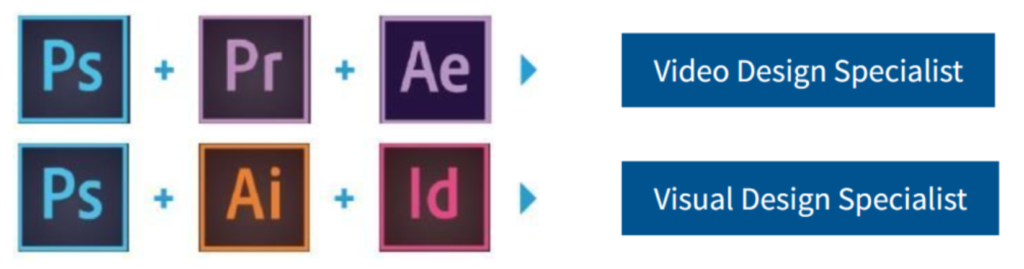
This image contains different combinations of badges that lead to accreditations. Photoshop, Premiere Pro, and After Effects lead to a Video Design Specialist accreditation. Photoshop, Illustrator, and Indesign lead to a Visual Design Specialist accreditation. As part of our exclusive deal with LinkedIn Learning, you’ll automatically gain Rise points for completing any of their 18,000 courses – so you might want to explore some of the other things of offer.

Note
Rise Points are our way of recognising all the learning you do beyond your course – whether its self-study, collaborative projects, volunteering, placement work … or pretty much anything else. You can keep track of your Rise Points, and learn more about their benefits via the main website (UDPATE LINK)
Students mustMark as done


